

The mailchimp vs kit debate in 2026 is no longer about which platform is “better.” It is about which platform fits the way you actually run your business. Mailchimp still owns the brand-name recognition and the deepest ecommerce integrations, but Kit has quietly become the strongest free-tier option in the industry while Mailchimp’s free plan keeps shrinking. After the 2024 ConvertKit rebrand, the 2025 Kit price hike, and Mailchimp’s 2026 free-plan gutting, the math has changed for almost every small business and creator.
This guide gives you the current numbers, the real cost comparisons (including the hidden billing traps most reviews miss), and a clear framework for deciding where each tool makes sense in 2026. No vendor pitch. No recycled 2023 benchmarks. Only the data, sourced and dated, that you can use to make the call today.
Mailchimp vs Kit at a Glance: 2026 Snapshot
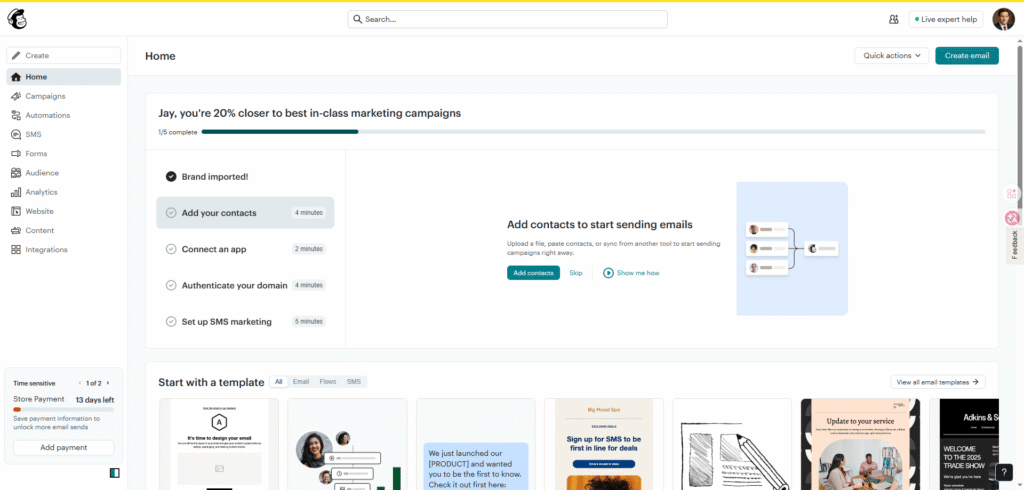
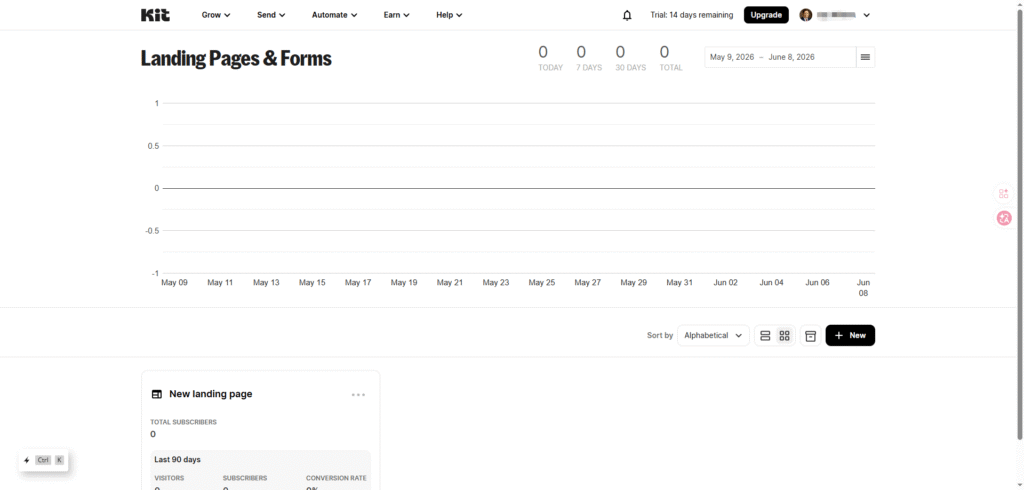
Here is how the two platforms stack up at a glance in 2026:
| Dimension | Mailchimp | Kit (formerly ConvertKit) |
| Best for | SMBs, ecommerce stores, agencies | Creators, bloggers, coaches, course sellers |
| Total users (2026) | 11M+ (0% growth since mid-2024) | 500,000+ creators |
| G2 rating (2026) | 4.3–4.4 / 5 (~12,700 reviews) | 4.4 / 5 (~207 reviews) |
| Free plan subscribers | 250 contacts | 10,000 subscribers |
| Free plan monthly sends | 500 emails (250/day) | Unlimited |
| Starting paid plan | Essentials $13/mo (500 contacts) | Creator $33/mo annual (1,000 subs) |
| Ecommerce integrations | Deep: Shopify, WooCommerce, BigCommerce | Native Shopify; others via Zapier |
| Digital product sales | Requires Gumroad / Teachable | Built-in (3.5% + $0.30 fee) |
| Parent company / stability | Intuit (3,000 layoffs announced May 2026) | Independent, founder-led |
The first thing to notice is that the two tools are no longer competing for the same buyer. Mailchimp is optimized for small businesses that need a marketing platform with email as one channel. Kit is optimized for individual creators who need email as the channel. Picking the wrong one is not a feature problem — it is a positioning problem.
Why the Brand Change Matters: From ConvertKit to Kit

In October 2024, ConvertKit officially became Kit. The rebrand was announced by founder Nathan Barry at the Craft + Commerce 2024 conference, with the new kit.com domain going live on October 1, 2024 (Kit rebrand announcement, October 2024). Specifically, the visual identity dropped the word “Convert” and adopted a custom “Kit Sans” typeface paired with a new blue color palette.
The rebrand matters for three reasons that affect how you should evaluate the platform today.
The Three Reasons That Actually Matter
Reason 1: It is the same product, with a bigger scope. Every account, integration, and automation you had as a ConvertKit customer moved over automatically. There was no migration, no data loss, and no pricing reset (Business Wire press release, October 2024).
Reason 2: The free plan was massively expanded alongside the rebrand. The new “Newsletter” plan launched with up to 10,000 subscribers for free — a 10x jump from the previous 1,000-subscriber free cap. The trade-off was that the old $9/month entry-level plan effectively disappeared, replaced by a new Creator tier priced significantly higher.
Reason 3: It coincided with a major price hike in 2025. In September 2025, Kit raised the Creator plan from $15/month to $33/month (annual billing) — a 120% increase, the largest in the company’s history (passivekit.com pricing review, April 2026). The rebrand-plus-price-hike combination pushed the legacy ConvertKit Trustpilot page to 1.8 stars as of early 2026.
If you have been Googling “ConvertKit vs Mailchimp” and finding older articles, you are reading about a product that no longer exists at the same price point. For more on how Mailchimp’s pricing has moved over the same window, our email subject lines guide includes a side-by-side deliverability comparison that highlights how the platforms have diverged since 2023. Any review published before October 2024 is now outdated, and most pre-September 2025 reviews are also outdated because the new Creator pricing did not exist.
Pricing Compared: Free Plans, Paid Tiers, Hidden Costs
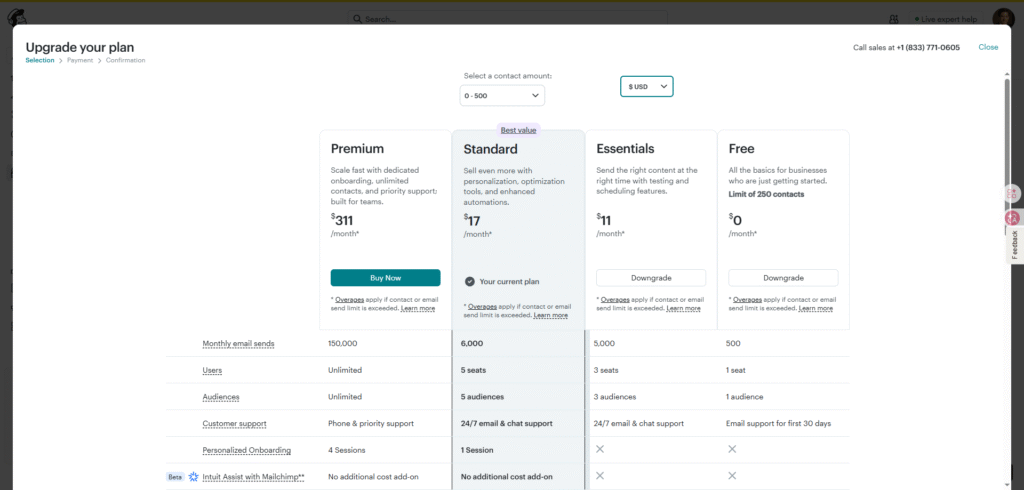
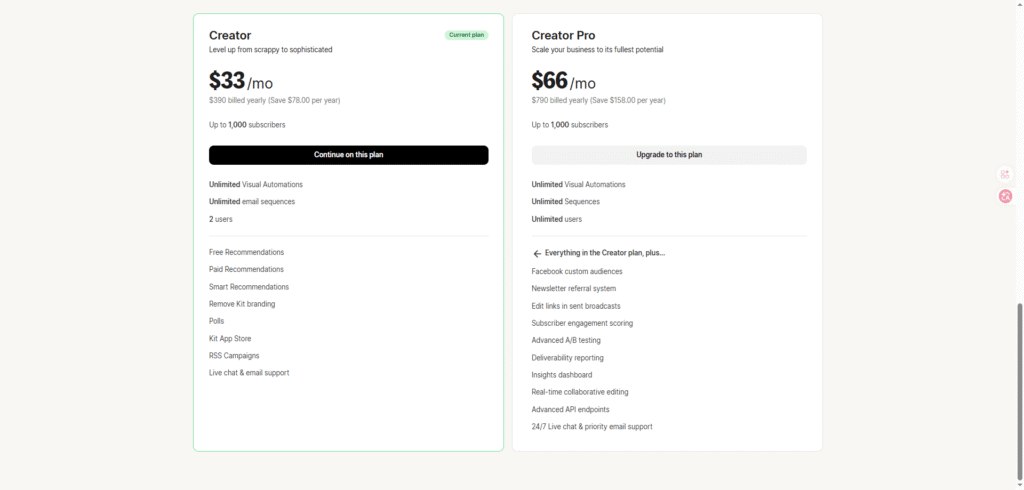
Pricing is where the mailchimp vs kit comparison gets most confusing, because the headline numbers are misleading on both sides. Mailchimp’s $13/month starting price looks cheaper, while Kit’s $33/month Creator plan looks more expensive — but the underlying subscriber counts and billing models are completely different.
Here is the full price comparison for 2026, verified against both vendors’ official pricing pages:
| Subscriber count | Mailchimp Essentials (monthly) | Kit Creator (annual) | Kit Creator (monthly) |
| Free tier | 250 contacts, 500 emails/mo | 10,000 subs, unlimited emails | 10,000 subs, unlimited emails |
| 500 contacts | $13/mo | n/a (only 1k+ on paid) | n/a |
| 1,000 contacts | $20/mo | $33/mo | $39/mo |
| 3,000 contacts | $45/mo | $49/mo | $59/mo |
| 5,000 contacts | $75/mo | $75/mo | $89/mo |
| 10,000 contacts | $110/mo | $117/mo | $139/mo |
| 25,000 contacts | $270/mo | $167/mo | $199/mo |
| 50,000 contacts | $385/mo | $251/mo | $299/mo |
Sources: Mailchimp pricing (verified March 2026), Kit pricing (verified April 2026), stackcompare.net comparison, March 2026.
The pattern that matters: the two platforms cross over at roughly the 5,000-subscriber mark. Below that threshold, Kit’s free plan wins by a wide margin. Above it, the gap narrows. By 25,000 contacts, Kit Creator is roughly $100/month cheaper than Mailchimp Essentials. The intuition that Mailchimp is “the cheaper option” holds only at the 1,000-subscriber and below tier.
Free Plan Limits: 250 vs 10,000 Subscribers
The free plan comparison is the most lopsided part of the entire mailchimp vs kit analysis. As of February 17, 2026, Mailchimp’s free plan was cut from 500 contacts and 1,000 monthly sends down to 250 contacts and 500 monthly sends — with all automations removed from the free tier as of mid-2025 (Emailexpert, February 2026, saasprices.net, February 2026). The limit history is brutal: 2,000 contacts in 2019 → 1,000 in 2020 → 500 in 2023 → 250 in 2026.
Meanwhile, Kit’s free Newsletter plan supports 10,000 subscribers with unlimited email sends, unlimited landing pages, unlimited forms, and even one visual automation (Kit free plan details, April 2026). You can sell digital products and run a paid newsletter on the free plan, with Kit taking a 3.5% + $0.30 transaction fee on sales.
| Free plan feature | Mailchimp Free (2026) | Kit Newsletter (Free) |
| Subscribers / contacts | 250 | 10,000 |
| Monthly email sends | 500 (250/day cap) | Unlimited |
| Audiences / lists | 1 | 1 (tag-based) |
| Automations | None | 1 visual automation |
| Landing pages | Yes | Unlimited |
| Forms | Yes | Unlimited |
| Email scheduling | No | Yes |
| A/B testing | No | No (Creator plan only) |
| Digital product sales | No | Yes (3.5% + $0.30 fee) |
| Branded footer | Mailchimp logo on every email | Optional |
| Support | Email for first 30 days only | Community + email |
For a business just starting out, this 40x subscriber gap changes everything.
What Each Free Plan Actually Gets You
With Mailchimp Free, you can send two emails per month to your entire list — and once you hit 251 contacts, Mailchimp pauses all sending until you upgrade. With Kit Free, you can send daily emails to 10,000 subscribers and run one welcome sequence. In short, the Mailchimp free plan is effectively a 30-day trial in 2026. In contrast, the Kit free plan is a real growth tool.
Mailchimp Essentials vs Kit Creator: Real Cost Comparison
The headline prices are misleading because of how each platform counts billable contacts. Mailchimp charges you for every contact in your account — including unsubscribed and non-subscribed contacts — unless you manually archive them (Retainful, March 2026). Kit only counts active subscribers, which means unsubscribed and inactive contacts do not affect your bill.
Here is the real-world cost difference for a list with 30% inactive contacts:
| Scenario | Mailchimp Essentials | Kit Creator |
| 10,000 total contacts, 7,000 active | Billed for 10,000 = ~$150/mo | Billed for 7,000 = ~$119/mo |
| 5,000 total contacts, 3,500 active | Billed for 5,000 = ~$75/mo | Billed for 3,500 = ~$49/mo |
| Monthly cost of inactive contacts | $31+ (Mailchimp charges for them) | $0 (Kit ignores them) |
This single billing difference is the most expensive hidden cost in the mailchimp vs kit conversation. A list that has accumulated 3,000 unsubscribed contacts over three years costs you $93/month extra on Mailchimp, and there is no way to opt out of the charges without manually archiving the contacts one by one.
Email Deliverability: Which Platform Gets to the Inbox?
Deliverability is the metric that decides whether your email marketing ROI is real or theoretical. Email still returns $36 for every $1 spent on average (Litmus State of Email 2025), but that return assumes your messages actually reach the inbox. Both platforms publish headline deliverability numbers, but independent testing tells a more nuanced story.
| Deliverability metric | Mailchimp | Kit |
| Vendor-claimed delivery rate | 99%+ | 99.80% |
| Independent inbox placement (EmailToolTester, Jan 2026) | 85–88% (down from low 90s pre-Intuit) | 93–97% (top tier) |
| Shared IP pool quality | Mixed (free-tier users share with everyone) | Strictly vetted (creator-quality baseline) |
| Dedicated IP availability | Premium plan only ($350+/mo) | Not available (shared IP only) |
| Authentication (SPF, DKIM, DMARC) | Auto-configured | Auto-configured |
| InboxEagle primary inbox score | 18% (B grade) | Not tested; consistent 90%+ in user reports |
Why the Gap Exists
The reason for the gap is shared IP quality. Mailchimp places most users on shared IP pools alongside millions of other senders — including free-tier users with poor list hygiene and abandoned accounts. When a small group of senders on the pool get flagged, every other sender on the pool takes collateral damage. Kit’s user base is narrow (creators and bloggers), and the platform rejects accounts with purchased lists or aggressive sending patterns, which keeps the shared IP pools clean.
The plain-text-friendly email style of Kit also helps deliverability. Image-heavy HTML templates — which Mailchimp encourages with its drag-and-drop editor — trigger spam filters more often than text-with-one-image emails. Creators writing to their audience like a friend tend to land in the primary inbox. Brands sending product launch emails with three product images and a hero banner tend to land in the Promotions tab.
For the full picture on inbox placement across all major ESPs in 2026, our best email marketing tools 2026 guide includes an updated deliverability benchmark chart pulled from independent testing data.
Automation & Sequences: Workflow Builders Compared

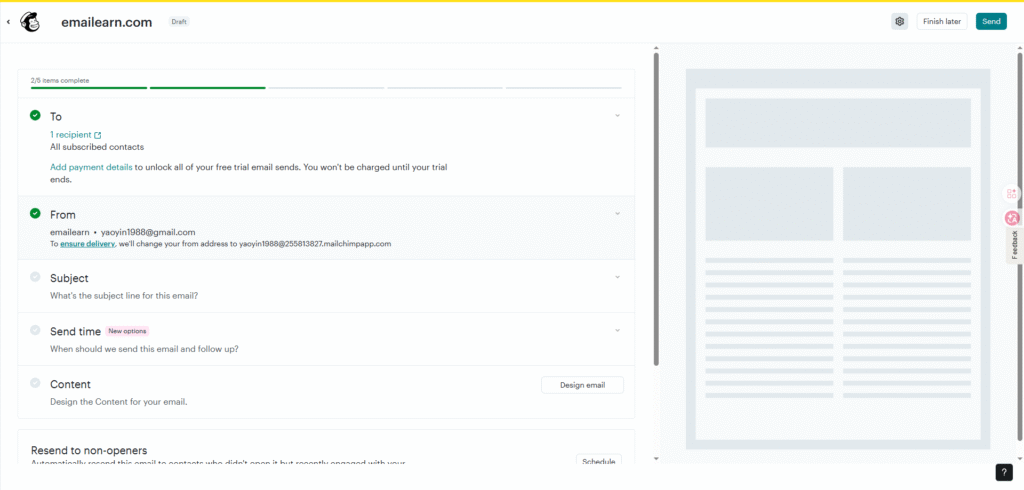
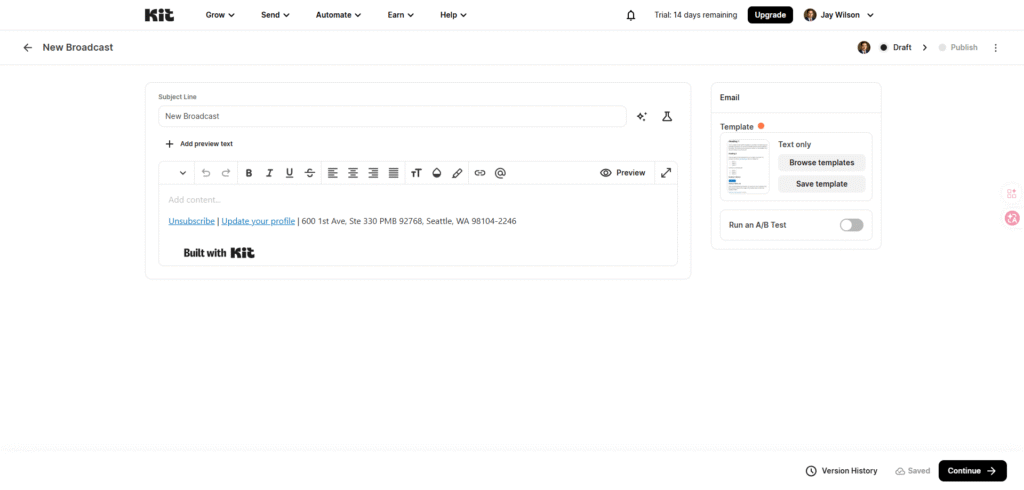
Automation is where the mailchimp vs kit comparison flips the other direction. Both platforms have visual workflow builders, but they are designed for different jobs.
Mailchimp’s Customer Journey builder supports multi-step, behavioral, and branching automations with up to 200 journey points on Standard plans. It is deep, capable, and tuned for ecommerce flows: browse abandonment, cart abandonment, post-purchase, win-back, and transactional triggers all live in the same canvas. Reporting is detailed. The trade-off is complexity — small businesses routinely report the builder feeling overwhelming.
Kit’s Visual Automation builder is simpler and intentionally so. The 25+ pre-built templates cover the workflows creators actually run: welcome series, course delivery, tag-based segmentation, product launches, and re-engagement. Triggers include form submissions, tag additions, link clicks, purchases, and date-based events. The builder is more approachable for non-technical users, and the visual layout makes it easier to see where each subscriber is in a sequence.
| Automation feature | Mailchimp Customer Journey | Kit Visual Automation |
| Pre-built templates | 30 | 25+ |
| Visual builder | Yes (more complex) | Yes (simpler) |
| Multi-step workflows | Yes (200 point limit on Standard) | Yes (unlimited on Creator) |
| Behavioral triggers | Yes (deep ecommerce) | Yes (clicks, opens, tags, purchases) |
| Conditional branching | Yes | Yes |
| Ecommerce triggers | Deep (Shopify, WooCommerce) | Native Shopify; others via Zapier |
| A/B testing in automation | Standard plan and up | Creator Pro plan only |
| Free plan automations | None | 1 |
| Best for | Ecommerce stores with product flows | Creators with subscriber flows |
For pure creator workflows (welcome → content delivery → product pitch), Kit’s builder is faster to set up and easier to maintain. For ecommerce workflows that fire on browse, cart, and purchase events, Mailchimp’s integration depth wins. The gap is in the integrations, not the builder UX.
What the Side-by-Side Numbers Look Like
For a deeper look at how automations compare across both platforms and a third option, our email automation workflows guide breaks down the seven sequences that consistently drive the highest revenue in 2026.
Best Use Cases: When to Choose Mailchimp, When to Choose Kit

The single most useful framework for the mailchimp vs kit decision is the “email-as-channel” question. Is email your only business channel, or is it one of several marketing channels you are running?
| If you are… | Pick Mailchimp | Pick Kit |
| A brick-and-mortar small business sending monthly promos | ✅ Better templates, more integrations | |
| A Shopify or WooCommerce store doing $500K+/year | ✅ Deep ecommerce triggers and reporting | |
| An agency managing email for multiple clients | ✅ Multi-user, white-label options | |
| A nonprofit running donor campaigns | ✅ Better donation integrations | |
| A blogger with under 10,000 subscribers | ✅ Free plan covers your growth | |
| A podcaster with a newsletter | ✅ Creator Network for cross-promotion | |
| A course creator selling on Teachable or Thinkific | ✅ Native integrations + built-in commerce | |
| A coach selling 1:1 services | ✅ Tag-based segmentation, simple automations | |
| A newsletter operator building a paid subscription | ✅ Built-in paywall and subscriptions | |
| A freelance writer monetizing with digital products | ✅ Free plan includes product sales |
The simpler rule of thumb: if you would describe your business by what you sell, Mailchimp is the safer choice. If you would describe your business by who you are and what you teach, Kit is the better fit. The mailchimp vs kit decision rarely comes down to a missing feature — it almost always comes down to which platform’s default assumptions match your business model.
If you are still building an audience from scratch, our build email list guide walks through the 90-day framework for getting your first 1,000 subscribers, regardless of which platform you ultimately choose.
Mailchimp vs Kit for Ecommerce and Creators
The ecommerce-vs-creator split is the deepest strategic difference between these two platforms. Mailchimp was built for businesses that sell products. Kit was built for individuals who sell knowledge. Your business model — not your feature checklist — should drive the decision.
For ecommerce stores, Mailchimp’s strengths show up in three places. First, the Shopify, WooCommerce, and BigCommerce integrations include purchase-trigger automations, product recommendation blocks, dynamic content based on browse history, and revenue attribution reporting. Second, the 26% increase in ecommerce triggers shipped in February 2026 — including a new Site Tracking Pixel, SMS expansion to 34 European countries, an omnichannel dashboard, and ChatGPT integration (Intuit Mailchimp newsroom, February 2026) — keeps Mailchimp at the front of the ecommerce email race. Third, the abandoned cart, browse abandonment, and post-purchase sequences are the deepest in the industry.
For creators and knowledge sellers, Kit’s strengths show up in three different places. First, the built-in commerce features let you sell digital products, paid newsletters, memberships, and tip-jar donations without integrating Gumroad, Teachable, or Substack. Kit has processed over $2 billion in creator commerce since launch (Kit commerce milestone, 2026). Second, the Creator Network lets you cross-promote with other newsletters at scale — Kit reports creators adding 500–2,000 subscribers per month through Recommendations alone. Third, the text-first email design philosophy produces emails that feel like a friend writing to you, which consistently outperforms branded HTML in open and reply rates for creator audiences.
Where the Decision Gets Interesting
The interesting case is the small Shopify store under $500K/year in revenue. Kit handles the core ecommerce flows (abandoned cart, post-purchase, product launches) for free or close to it, and Klaviyo’s $45/month minimum is overkill at that scale. Many small Shopify owners are now choosing Kit over Mailchimp for the free tier alone, even though Klaviyo eventually wins at higher revenue tiers. The data is clear: pick the platform that matches the business you have today, not the one you might need in three years.
Integrations and Ecosystem: Who Plays Nicer with Your Stack
Integration depth matters because no email platform exists in isolation. You need it to talk to your website, your CRM, your ecommerce store, and your analytics.
Mailchimp lists 300+ integrations on its directory, including deep native connectors for Shopify, WooCommerce, Salesforce, HubSpot, Squarespace, QuickBooks, Zapier, and Canva. The Intuit acquisition added tighter QuickBooks and TurboTax integration for small business accounting. G2 rates Mailchimp’s Plugin/Integration capabilities at 9.0/10.
Kit lists 100+ integrations, focused on creator tools: Teachable, Thinkific, Stripe, Shopify, WooCommerce, Calendly, Typeform, SavvyCal, Mighty, Mighty Networks, SegMetrics, and the Kit App Store (launched October 2024 with self-serve developer access). For B2B SaaS or enterprise ecommerce, the integration list is shorter than Mailchimp’s. For creator stacks, it is exactly the right set.
The practical difference shows up in setup time. A standard Shopify-to-email integration takes about 20 minutes on Mailchimp and 30 minutes on Kit, but the Mailchimp integration pulls in product data, customer lifetime value, and browse events automatically. The Kit integration pulls in customer and purchase data but requires manual setup for product recommendations and dynamic content.
Migration: Switching from Mailchimp to Kit (or Vice Versa)
Switching platforms is the moment most businesses overthink and under-execute. **In practice **, the actual migration is mechanical. The hard part is preserving deliverability during the cutover.
Moving from Mailchimp to Kit
If you are moving from Mailchimp to Kit, the process looks like this:
- Export your Mailchimp audience as a CSV. Include first name, last name, email, tags, and any custom fields you have built.
- Import the CSV into Kit using the subscriber import tool. Kit will match tags automatically if you preserve the column headers.
- Re-create your automations in Kit’s visual builder. Start with the welcome series and the highest-revenue sequence you have. Do not try to migrate every automation on day one.
- Set up DKIM authentication on your sending domain through Kit’s setup wizard. Authentication is required for Gmail and Yahoo bulk senders since February 2024.
- Warm up the new sending domain. Send to your most engaged 1,000 subscribers first, then expand to 5,000, then 10,000, over a 2–4 week window. Do not import and blast the full list on day one — your deliverability will tank.
- Pause Mailchimp sends once the warm-up is complete. Keep the Mailchimp account active for 60 days in case you need to reference historical reports or pull a list back.
Kit offers free migration assistance on paid Creator and Creator Pro plans, with the team handling list imports, automation rebuilding, and DNS setup. The team reports most migrations complete in 5–10 business days.
Moving from Kit to Mailchimp
If you are moving from Kit to Mailchimp, the steps reverse, with two important differences. First, Mailchimp’s tagging system is different from Kit’s, so you will need to map Kit tags to Mailchimp groups/segments before importing. Second, Mailchimp’s “all contacts count” billing model means you should archive unsubscribed and inactive contacts before the import, or you will pay for them on Mailchimp even though you did not pay for them on Kit.
For the broader context of platform migrations and what to test before you commit, our email marketing ROI comparison breaks down the revenue side of switching platforms — including how long a typical migration takes to pay for itself.
For the deliverability side of any migration, our email deliverability checklist covers the SPF, DKIM, and DMARC setup plus the warm-up practices that keep inbox placement above 90% during a platform switch.
The Verdict: Which One Should You Pick in 2026?
The Three-Question Framework
The mailchimp vs kit decision in 2026 comes down to three questions. Answer them honestly, and the right platform becomes obvious.
| If your business is… | Pick | Why |
| Products, ecommerce, multi-channel SMB | Mailchimp | 300+ apps, ecommerce reporting, brand design |
| Knowledge, content, courses, coaching | Kit | Free to 10K subs, native commerce, creator-built |
| Under 10,000 subscribers and growing | Kit | Free plan saves $13–$75/month vs Mailchimp |
| 25,000+ subscribers at scale | Kit Creator | $100+/month cheaper than Mailchimp Essentials |
| Brand-design-heavy email campaigns | Mailchimp | Best drag-and-drop editor in the category |
| All-in-one marketing stack required | Mailchimp | Email + social + CRM + landing pages + ads |
| Focused email + native commerce | Kit | No Gumroad, Teachable, or Substack needed |
How the Market Has Settled in 2026
The 2026 market has shifted in ways that make this decision easier than it was 12 months ago. Mailchimp is no longer the cheapest starting point — that crown belongs to Kit. Kit is no longer the cheapest scaling option — Mailchimp’s Standard plan matches it at higher tiers, and Klaviyo beats both for large ecommerce lists. The platforms have settled into their lanes: Mailchimp for SMBs and ecommerce, Kit for creators and knowledge sellers.
If you are still on the fence, start on Kit’s free plan, build your first 1,000 subscribers, and run your first 5 paid campaigns. Both platforms offer free migration assistance, so the cost of testing the wrong choice is essentially zero. For a wider view of the category, our best free email marketing tools for small business guide places both tools alongside six other options worth knowing.
Whatever you pick, email still drives $36 per $1 spent on average (Litmus State of Email 2025) — the highest ROI of any digital channel. The platform you choose matters less than the consistency with which you use it. Pick one, build your welcome series, send your newsletter weekly, and let the compounding returns do the rest.
For more on building the email list that makes either platform worth the money, read our complete email marketing vs social media ROI breakdown and our build email list playbook that walks through the 90-day framework for getting your first 1,000 subscribers.